
Start with a resume you trust and one job you're interested in. This guide walks you through using AI to find roles, improve your resume and prepare an honest application. You can build out the rest as you go.
Each step gives you something you can use again: a clearer picture of your experience, a resume you've checked, better job preferences or answers you've approved. Save the useful details so you can start there next time instead of explaining everything again.
Two loops connect the steps: find a few roles → explain what fits and what doesn't → save the preferences you've confirmed → search again. For a role you want: check the resume → answer questions about missing details → revise it honestly → check it again using the same scoring checklist.
Your first win: a short personal brief and a base resume you're happy with. You don't need to build the whole system today. Stop when you have something useful, then come back to the next step when you need it.
Before you start
Bring your current resume or rough work-history notes, an example job you like and any must-haves, such as location, schedule or type of work. Leave out anything you don't want the AI service to receive. Every person and company in the examples below is fictional.
An ordinary AI chat can ask you questions, help with a resume and compare a job description you paste in. To save files, it needs access to a private folder you've chosen. Finding live jobs needs web access. Repeating the search needs a real scheduler, and filling an application needs permitted browser or application tools. Ask your app what it can actually do, and check the result when it says it has saved a file or scheduled a task.
If you're starting from scratch, use the AI Starter Library. It gives you AGENTS.md, CLAUDE.md, SETUP.md and blank personal/company context files. Keep your filled-in copy private. Give AI the context your work needs will help you work out what to put in those files. If you already have a setup, build on it.
How to use the prompts: copy one boxed prompt into your AI app, answer its first question and keep going from there. Replace anything in square brackets. You can say “skip,” “explain that” or “let's make this smaller.” You don't need to give a perfect answer. If you go off on a tangent, ask AI to pull out what's useful and ask the next question.
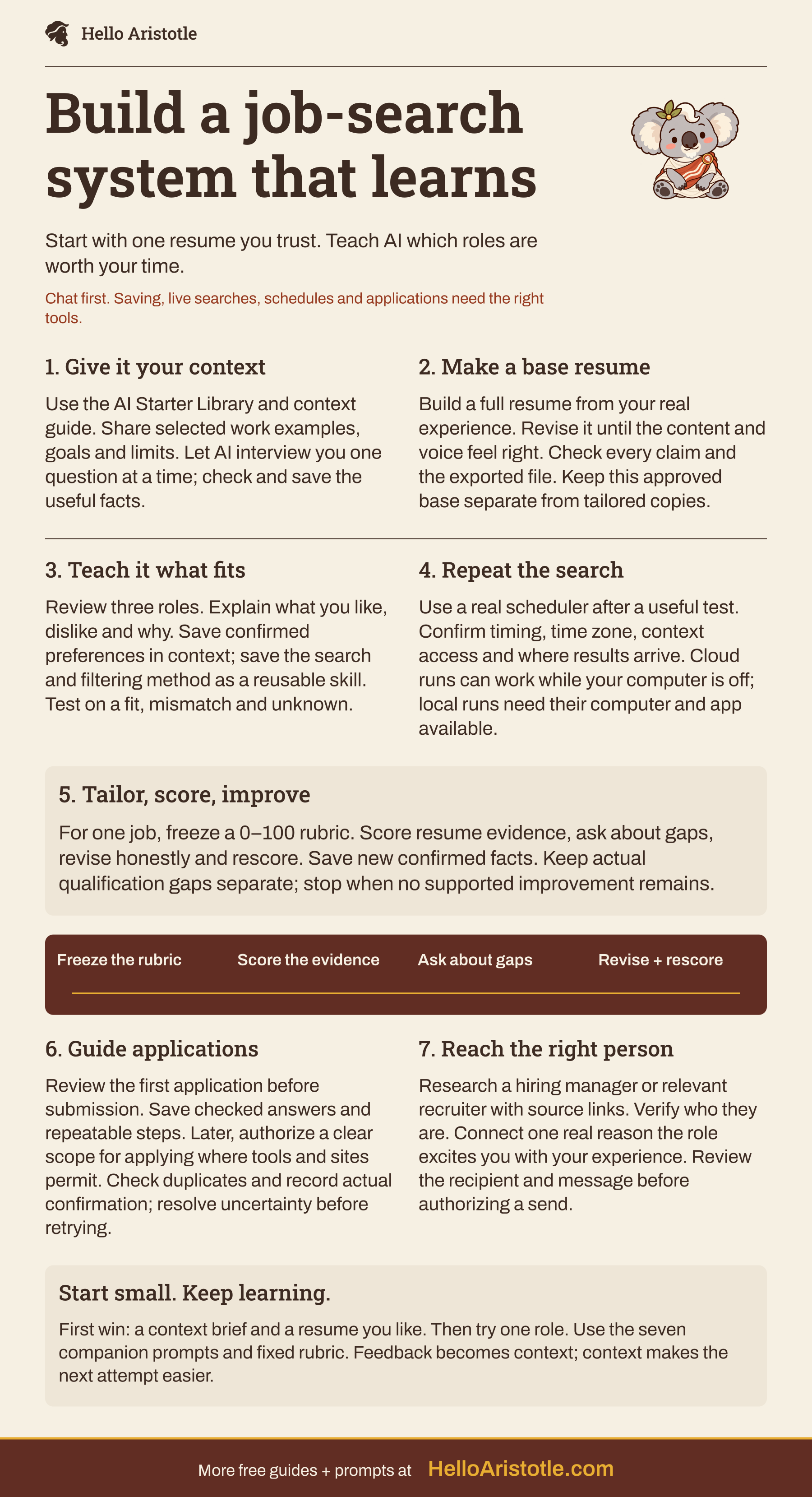
Read the text version
Build a job-search system that learns
- Start with one resume you trust. Teach AI which roles are worth your time.
- Chat first. Saving, live searches, schedules and applications need the right tools.
1. Give it your context
- Use the AI Starter Library and context guide. Share selected work examples, goals and limits. Let AI interview you one question at a time; check and save the useful facts.
2. Make a base resume
- Build a full resume from your real experience. Revise it until the content and voice feel right. Check every claim and the exported file. Keep this approved base separate from tailored copies.
3. Teach it what fits
- Review three roles. Explain what you like, dislike and why. Save confirmed preferences in context; save the search and filtering method as a reusable skill. Test on a fit, mismatch and unknown.
4. Repeat the search
- Use a real scheduler after a useful test. Confirm timing, time zone, context access and where results arrive. Cloud runs can work while your computer is off; local runs need their computer and app available.
5. Tailor, score, improve
- For one job, freeze a 0–100 rubric. Score resume evidence, ask about gaps, revise honestly and rescore. Save new confirmed facts. Keep actual qualification gaps separate; stop when no supported improvement remains.
6. Guide applications
- Review the first application before submission. Save checked answers and repeatable steps. Later, authorize a clear scope for applying where tools and sites permit. Check duplicates and record actual confirmation; resolve uncertainty before retrying.
7. Reach the right person
- Research a hiring manager or relevant recruiter with source links. Verify who they are. Connect one real reason the role excites you with your experience. Review the recipient and message before authorizing a send.
Start small. Keep learning.
- First win: a context brief and a resume you like. Then try one role. Use the seven companion prompts and fixed rubric. Feedback becomes context; context makes the next attempt easier.
- More free guides + prompts at
- HelloAristotle.com
1. Help AI understand you
Your resume, a few notes and a conversation are enough to get started. Help AI separate what you've actually done, what you want next and what it still needs to ask about. Save the useful details once you've checked them. Company context is optional for a job seeker; leave out confidential employer information.

Hello Aristotle
Step 1: Help AI understand you
Help me build the personal context for a useful job search. Start with one friendly question about the work I want and why. Ask one short question at a time. Reuse answers and selected files I have already shared; do not ask me to repeat them. If I go off-topic, summarize anything useful and guide me back.

Use the setup structure at https://github.com/HelloAristotle/ai-starter-library if you can read it. If you cannot, say so and work from the files or text I provide. Do not replace an existing setup.

Learn my work history, real examples of contributions, strengths, preferred work, location and schedule limits, and things I want to avoid. Ask me to choose which files you may read. Never invent achievements or treat a preference as a fact about an employer.

Show a short brief with confirmed facts, preferences, evidence sources and open questions. Let me correct it. If you can save files, propose how to add these details to my private personal context and career notes, preserve existing content, save the approved additions, and read them back. Otherwise give me text to save and paste into future chats. Finish by telling me what is ready for my base resume.
Check: could someone use this brief to explain your experience and what you're looking for without guessing? Fix anything that sounds inflated before you reuse it.
2. Build a base resume you like
Your base resume is the starting version you'll come back to. It should sound like you and contain claims you can explain. Keep extra work examples and their sources in a separate note, called an evidence bank, so they don't get lost just because they didn't fit on this resume.
Hello Aristotle
Step 2: Build a base resume you like
Help me create a base resume for [kind of work]. Read my selected personal context, work examples and current resume. Ask for missing information one question at a time. If I have no resume, interview me and build a simple first draft.

Keep dates, titles, qualifications, scope and outcomes accurate. Distinguish my own work from team results. Never add a number, skill or achievement because it sounds impressive. Ask for evidence or leave it out.

Draft the whole resume in a clear, simple format. Ask which parts feel accurate, which sound unlike me and what is missing. Revise those parts until I am happy with the content and presentation. Keep useful extra examples in my evidence bank with their source and confirmation date.

Show the complete final version, including contact details, dates and layout, for my review. Save it as my base version if you have file access; keep earlier versions recoverable. Later job-specific versions must not silently overwrite it. Tell me exactly what was saved, or give me the full text to save myself.
Check: read every line aloud. Could you answer a follow-up question about it? Open the exported file too. A good draft in the chat can still look wrong when you download it.
Ready to try one role? If you already have a job description you like, go straight to Step 5 to tailor your resume, then use Steps 6 and 7 as needed. Steps 3 and 4 are optional ways to expand your search later. You can get a useful application ready without creating a skill or scheduling anything.
3. Find a few jobs and teach AI what fits
Use this optional step when you need help finding roles or want better matches. Start with up to three. Tell AI why a role does or doesn't fit: “I like the day-to-day work, but I can't do that much travel” is much more useful than “no.” Be clear about which things are firm limits and which are preferences. Once you find one role worth trying, you can move to Step 5.
Hello Aristotle
Step 3: Find a few jobs and teach AI what fits
Find up to three current roles using my saved preferences and [locations or sources I choose]. If you cannot browse, ask me for job descriptions or links with pasted text instead of inventing listings.

For each role, show the employer, title, direct application link, date checked, location/work arrangement, salary if stated, why it may fit and what is unknown. Prefer the employer's current posting. Mark inaccessible or expired listings clearly. Check my application tracker for duplicates. If I have no tracker, say the history is unknown, ask whether I have already applied to these roles, and offer a simple tracker for my approval. Continue reviewing roles while I decide; do not claim you completed a full duplicate check.

Ask which roles I like or dislike and why. Turn my feedback into proposed hard filters, preferences and useful search terms. Check your interpretation with me; then update the preference file with confirmed changes.

Once the search works, create or update a reusable job-search skill using this app's supported skill format and location. A skill means saved instructions for repeating this job: where to search, which context to read, how to filter, how to handle unknowns and what to return. Keep personal facts in context files and reference them from the skill. Show the saved location and test it on a fresh small search. If skills are unavailable, give me the same routine as a reusable text prompt.
Check: try one clear fit, one clear mismatch and one role with missing information. The search routine should keep the fit, explain the mismatch and ask about the unknown. A confident score shouldn't hide something you still need to check.
4. Make the search a real recurring loop
Try this optional step after a manual search gives you useful results. You can also skip it and go to Step 5. A good starting schedule is a weekday morning shortlist of up to three new matches. Keep this scheduled task focused on finding roles. Applying and sending messages are separate steps.
Hello Aristotle
Step 4: Make the search a real recurring loop
Help me schedule the job-search routine we tested. First identify the actual scheduler available to you, where it runs and whether it can read the saved skill, preferences and application tracker. If scheduling is unavailable, give me a manual run prompt and explain the missing capability.

Ask for my schedule, time zone, result destination and notification preference. Show the proposed settings before activation. Do not change computer settings or expand account access on my behalf.

Each run should read current preferences, check approved sources for live roles, avoid previously reviewed or applied roles unless something changed, and return up to three strong matches with links, evidence of fit and open questions. Record when the search ran and any source failures. Do not apply or send messages as part of this search task.

After I approve, create the schedule through the real scheduling tool and read back its saved settings. Run one test, verify the output arrived where expected, and show me how to pause it. Clearly report any step you could not verify. After I review a shortlist, update the preference file with my confirmed feedback so later runs can use it.
While you're asleep: a scheduled search can run if its environment stays available and can reach the files and sources it needs. A cloud run can work with your computer off when its inputs are available there. A local run needs its computer and app to stay available. A file saved only on your laptop won't automatically be available in the cloud.
Current product details, checked October 14, 2026: OpenAI documents local scheduled work that needs the computer on and app running, and web tasks that use uploaded context and connected tools. Claude documents remote scheduled tasks using account files and connectors; older or local-dependent tasks may run locally. Verify the actual task environment and account feature before relying on it. OpenAI scheduled tasks · Claude scheduled tasks.
5. Tailor one resume with a fixed 0–100 rubric
A rubric is a scoring checklist. Agree on one for this job before editing, and keep the job description and checklist the same when you compare versions. Score what the resume actually shows. Something AI knows about you can't earn points until the resume includes supported evidence of it.
Keep actual qualification gaps and your own deal-breakers in a separate list. Better wording can't give you a missing license or experience, or change whether you're willing to relocate.
Start with these categories, then turn them into specific checks for the job description:
| Category | Points | What earns credit |
|---|---|---|
| Stated requirements | 35 | Resume evidence of explicit required skills or qualifications |
| Main responsibilities | 25 | Examples that show relevant work the role involves |
| Evidence quality | 20 | Clear personal action, scope and supported result or useful contribution |
| Relevance and emphasis | 10 | The strongest relevant evidence is easy to find; wording stays accurate |
| Clarity and completeness | 10 | Clear language, consistent dates/titles and a readable, complete document |
Split each category into specific checks and assign the points before scoring. Give 0 for missing or contradictory evidence, half for partial or vague evidence and full points for direct, sufficient evidence. Whenever you award points, quote or point to the supporting resume text. For a zero, explain what's missing or contradictory. Keep the same checks and weights for each revision. If you change the job description or rubric, save a new version and rescore both resumes before comparing them.
Hello Aristotle
Step 5: Tailor one resume with a fixed 0–100 rubric
Help me tailor my approved base resume to this job description: [paste the full current description and source/date]. Use my selected career context and evidence bank when writing. Preserve the base resume.

Before editing, list explicit requirements, main responsibilities, unclear wording and any hard conflicts with my preferences. Build a 100-point rubric: stated requirements 35; main responsibilities 25; evidence quality 20; relevance and emphasis 10; clarity and completeness 10. Split each category into observable job-specific checks and allocate its points before scoring. Each check earns zero for absent or contradictory evidence, half for partial or vague evidence, or full credit for direct and sufficient evidence. Show the criteria and weights to me and freeze them for this job. Do not invent employer priorities or call the score an ATS result or a hiring probability.

Score the current resume using only its visible text and the job description. For each subcriterion, cite resume evidence and award zero, half or full credit. Separately verify all claims against my confirmed context. Unsupported claims block use regardless of the score.

Identify the three most useful truthful improvements. Ask one focused question at a time when a missing detail could help. Save newly confirmed, reusable facts to the appropriate context or evidence file after showing me the addition; keep this job's rubric and draft in its own folder. Never convert an unanswered question into a claim.

Revise the full resume, then rescore the actual exported version with the same rubric. Show before/after scores, changed evidence, remaining gaps and any unsupported claims removed. If an independent reviewer is available, give it only the final resume, job description and fixed rubric for scoring; otherwise label the result a self-check.

Run up to two revision rounds, then stop when no further supported improvement is available or a missing fact needs me. Do not chase 100. Return the complete resume for my approval, the evaluation table and the remaining real-fit questions.
Fictional example: Maya's resume says “helped with customer emails.” She confirms she created a reply guide and trained two colleagues. The revision can include those actions. It can't claim “cut response time by 40%” without evidence. The added detail may improve a relevant score, but an unmet certification requirement is still unmet.
Use the score to guide edits. It can't tell you an employer's hidden criteria, measure your worth or guarantee an interview.
6. Prepare the application, then choose what to delegate
Walk through the first application with AI. Save useful answers you've checked, such as employment dates and portfolio links. Keep control of legal declarations, sensitive answers, salary expectations and anything that changes from one role to another. Saving an answer doesn't give AI permission to submit it everywhere.
Hello Aristotle
Step 6: Prepare the application, then choose what to delegate
Help me prepare the application for [exact role and employer URL] using my approved tailored resume and confirmed context. Check my application tracker before starting. If I have no tracker, say so and ask whether I have already applied to this exact role. Offer a simple tracker for my approval with employer, role, job link, date, status, resume version and confirmation evidence. You can keep preparing the application while I decide; do not submit if a possible earlier submission is unresolved. Use permitted tools; if you cannot access the form, ask me to paste the questions and help me answer them.

For this first application, fill or draft the answers but pause before submission so I can review the exact resume, answers and any declarations. Ask me about unknowns. Never guess eligibility, authorization to work, demographic information or attestations. Do not bypass a site's access limits or verification steps.

After I guide you, propose which verified answers and instructions are reusable. Save approved facts in my private context and the repeatable steps in an application skill. Note when an answer must be reconfirmed.

If I later ask for applications on my behalf, agree the exact scope first: eligible roles, sources, limit, approved document versions, reusable answers and conditions that require my review. Follow that authorization only where the tools and site permit it; otherwise return a draft or ask me to finish the step.

After any authorized submission, save the role, job ID or canonical link, date, resume version and actual confirmation evidence. Keep prepared, submitted and uncertain outcomes distinct. If submission is uncertain, reconcile it before any retry. Read back the tracker update.
Check: open the actual attached resume and review the live form. Look for confirmation that the application was received. A filled form or a clicked button isn't enough on its own.
7. Find the right person and a real reason to reach out
Use the role, team and public company information to find someone relevant. Sometimes you can identify a recruiter or team lead but can't confirm who the hiring manager is. Say so. Your message should connect a specific reason you're interested in the work with something true about your experience.
Hello Aristotle
Step 7: Find the right person and a real reason to reach out
For [role and employer URL], research a relevant hiring contact using current public professional sources. Look for the actual hiring manager when supported; otherwise suggest a recruiter or relevant team leader and explain the uncertainty. Provide source links. Do not invent a reporting relationship, private contact details or a shared connection.

Show one specific aspect of the work or company that could interest me and ask whether it genuinely does. Connect my confirmed reason with one relevant example from my background.

Draft a short message in my voice: the role, why that particular work excites me, one supported connection to my experience, and a small appropriate ask. Do not say I applied unless my tracker confirms it. Show recipient, channel, evidence and message for review. Do not send until I authorize that message or an explicit scope covering it.
Fictional message: “Hi Jo, I'm interested in the Customer Support Specialist role. The posting's focus on clearer help materials caught my eye: I created a reply guide and trained two colleagues in my last team. Is improving those materials part of this role's day-to-day work?” You'd still need to verify Jo's connection to the role before sending it.
Give each piece a home
Ask AI to adapt this layout to your existing private starter folder. These are suggested additions. The Starter Library doesn't already include these career files.
| Home | Keep here |
|---|---|
| context/personal.md | Stable personal background and links to relevant career notes |
| context/career/evidence.md | Confirmed work examples, sources, dates and honest limits |
| context/career/preferences.md | Must-haves, preferences and reasons you liked or rejected roles |
| context/career/answers.md | Approved reusable application facts; mark role-dependent answers |
| career/base-resume/ | The resume you approved as your starting version |
| career/applications/ | Tracker plus separate job descriptions, rubrics, resume versions and receipts |
| App-supported skill location | Reusable search/application steps that reference the context above |
Add short pointers from your existing AGENTS.md or CLAUDE.md to the context you want AI to use. Install skills where your app and scheduled environment can load them. Naming a note SKILL.md alone won't do that. In a fresh chat, ask AI which files and skill it read. If it can't show you, paste the context and search instructions yourself until access is working. OpenAI skill documentation · Claude skill documentation.
Pick one job worth trying. Use the tailoring prompt with your base resume and that job description. If you want a place to keep the context and working files together, set up your AI Starter Library.